🎯
Composition Overlay
40 semi-transparent templates sit on your live preview — just line them up.
Frame. Pose. Shoot.
40 composition templates overlay your camera preview. Crosshair guides tell you where to stand, where to aim, where the subject goes. Fully on-device. No account. No network.
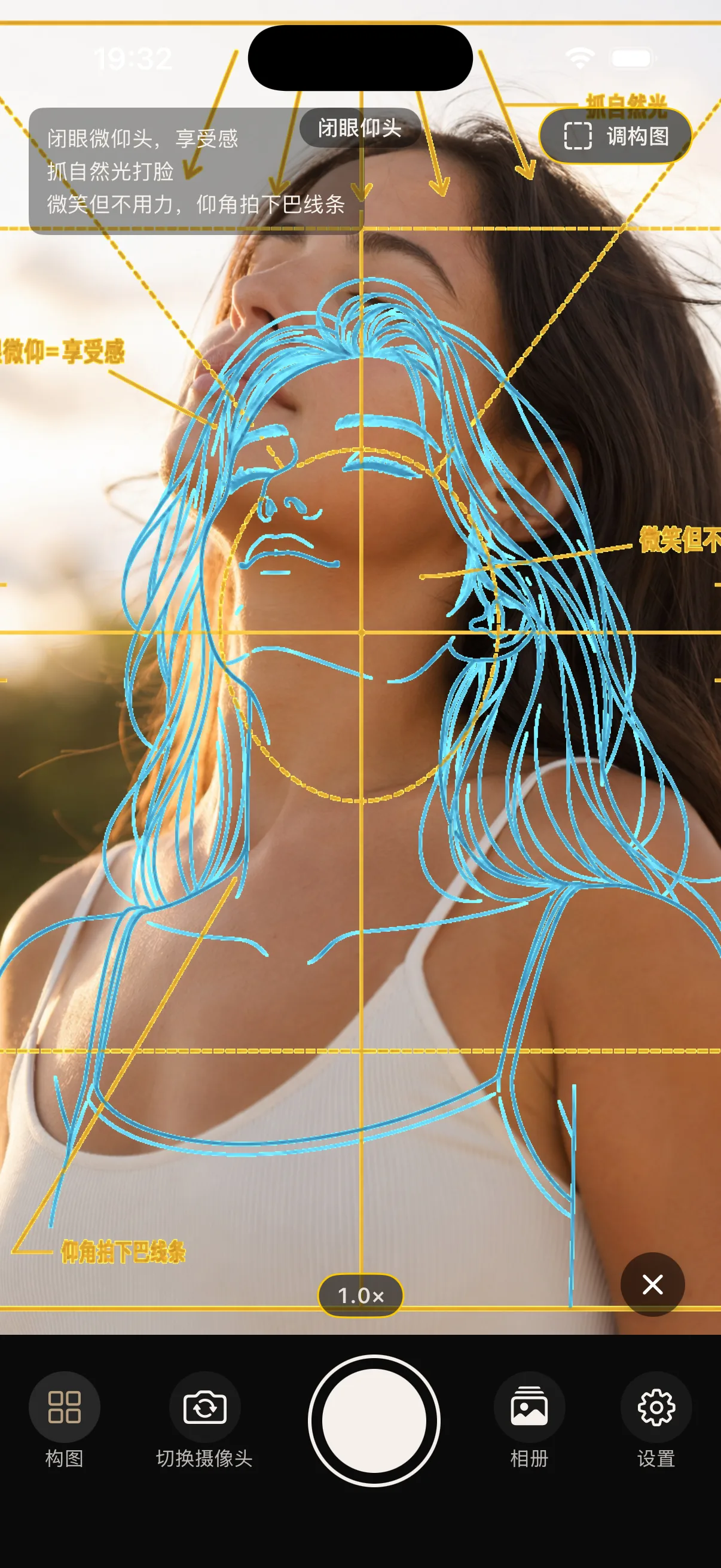
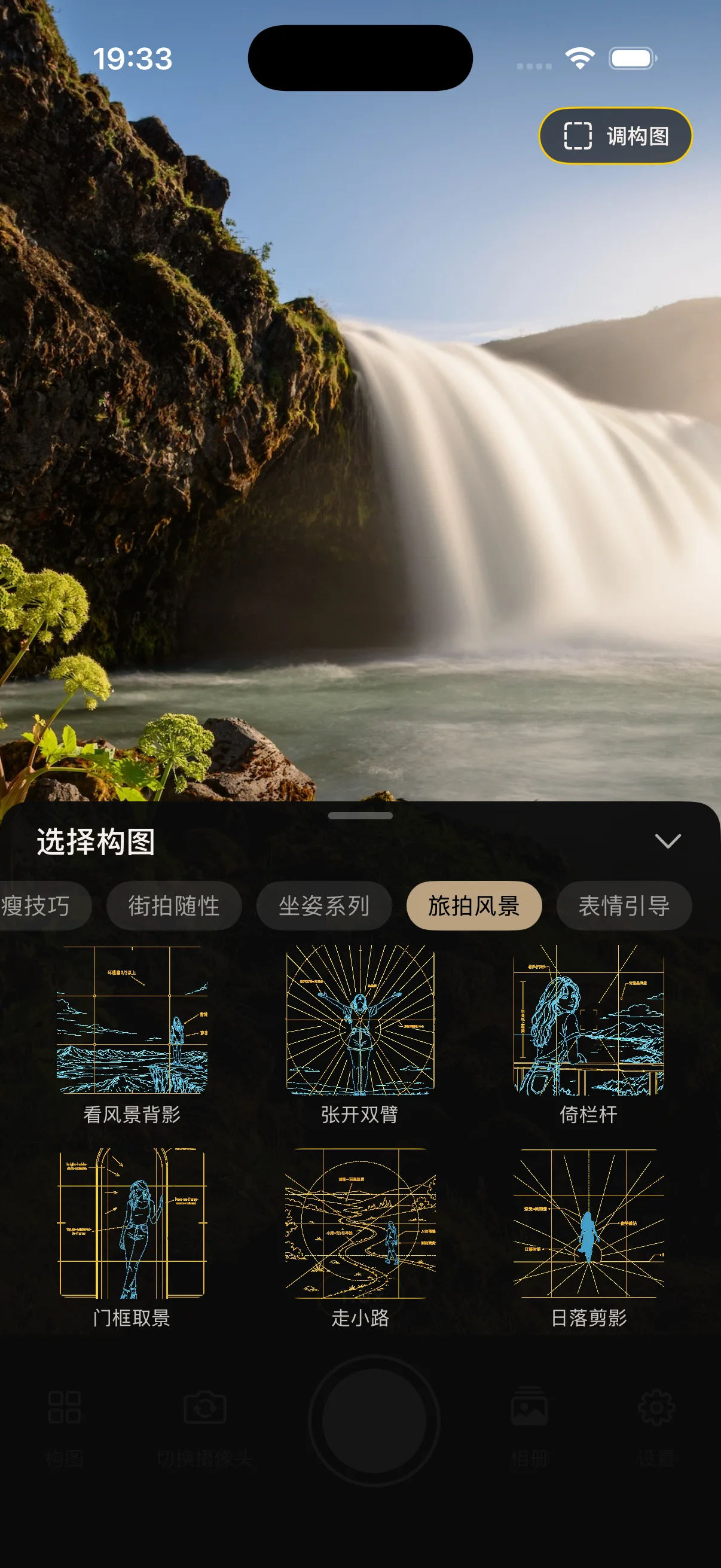
Composition Overlay
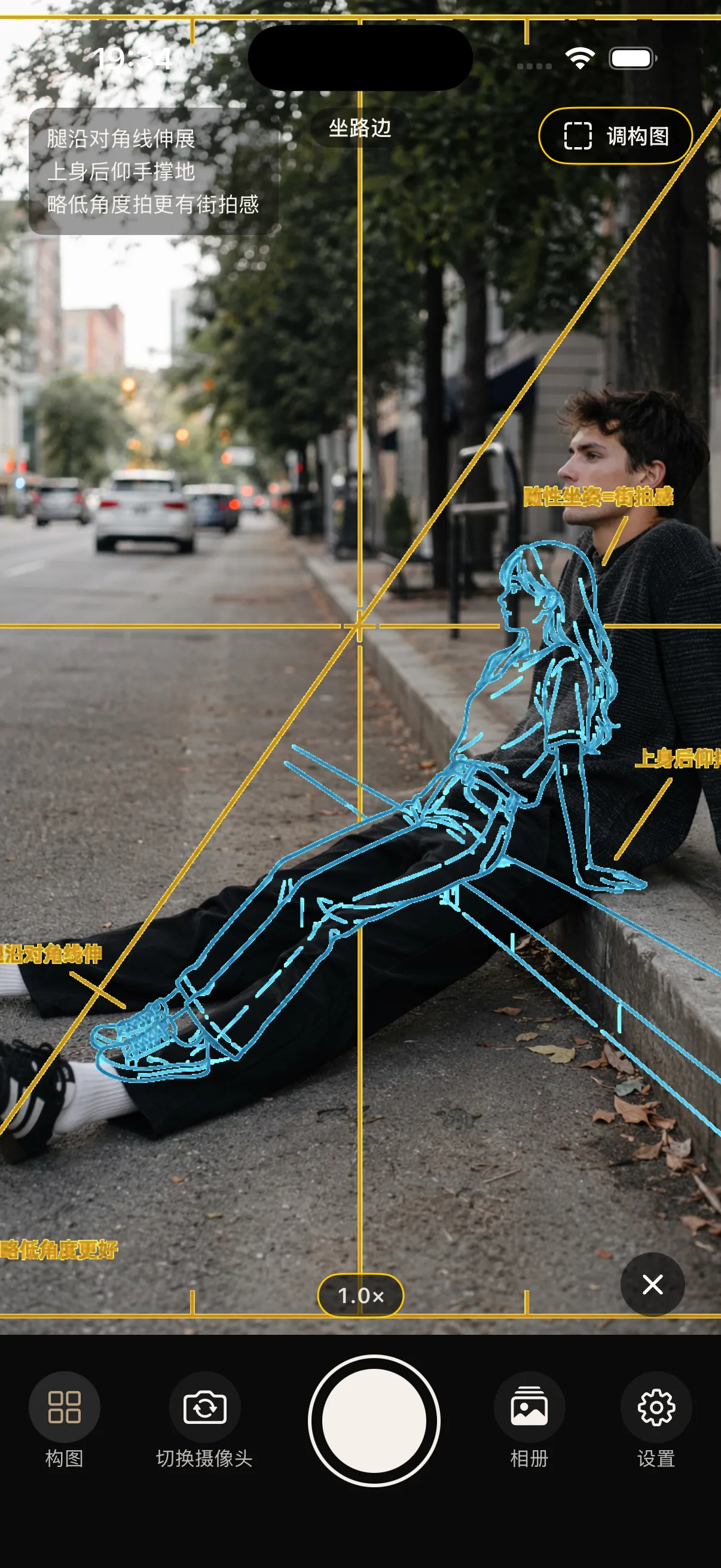
Crosshair Guides
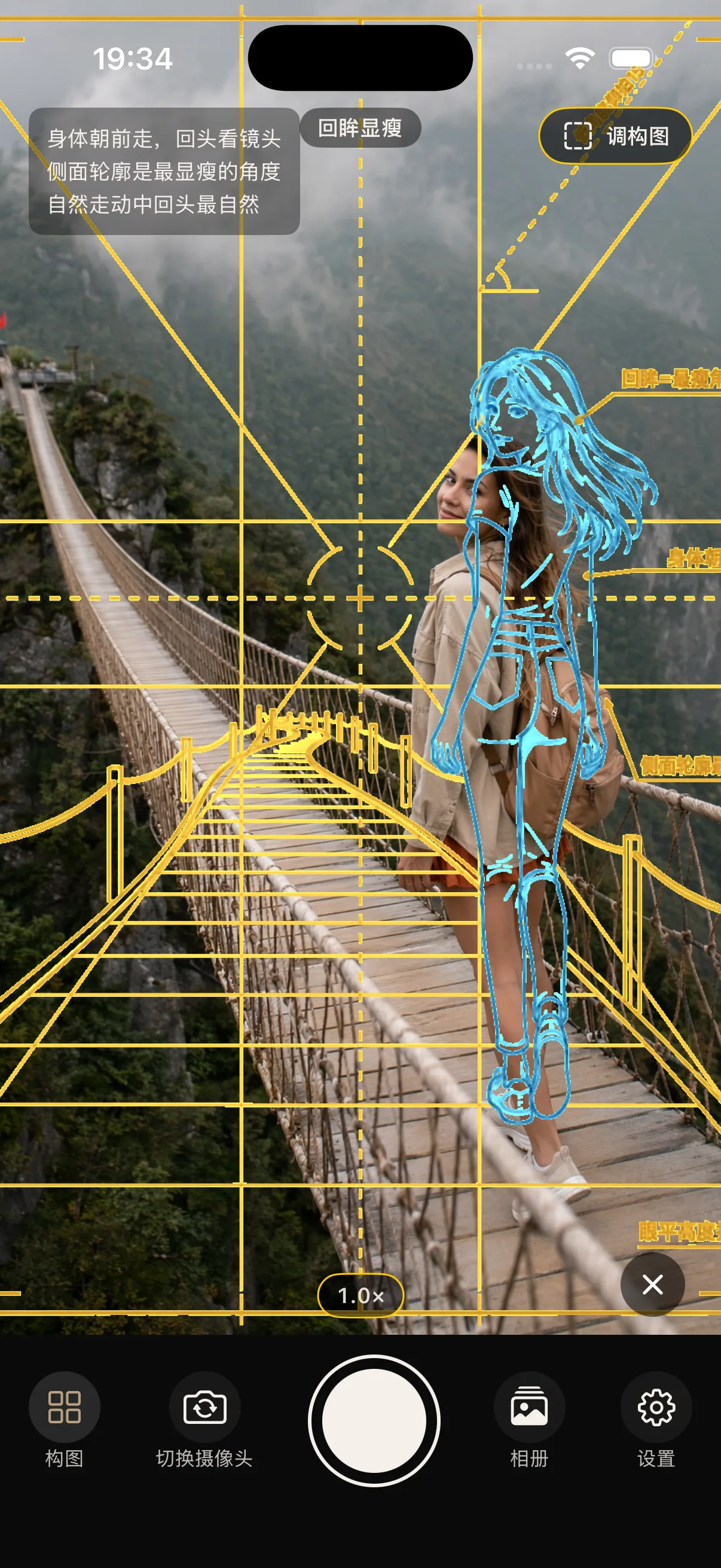
Pose Reference
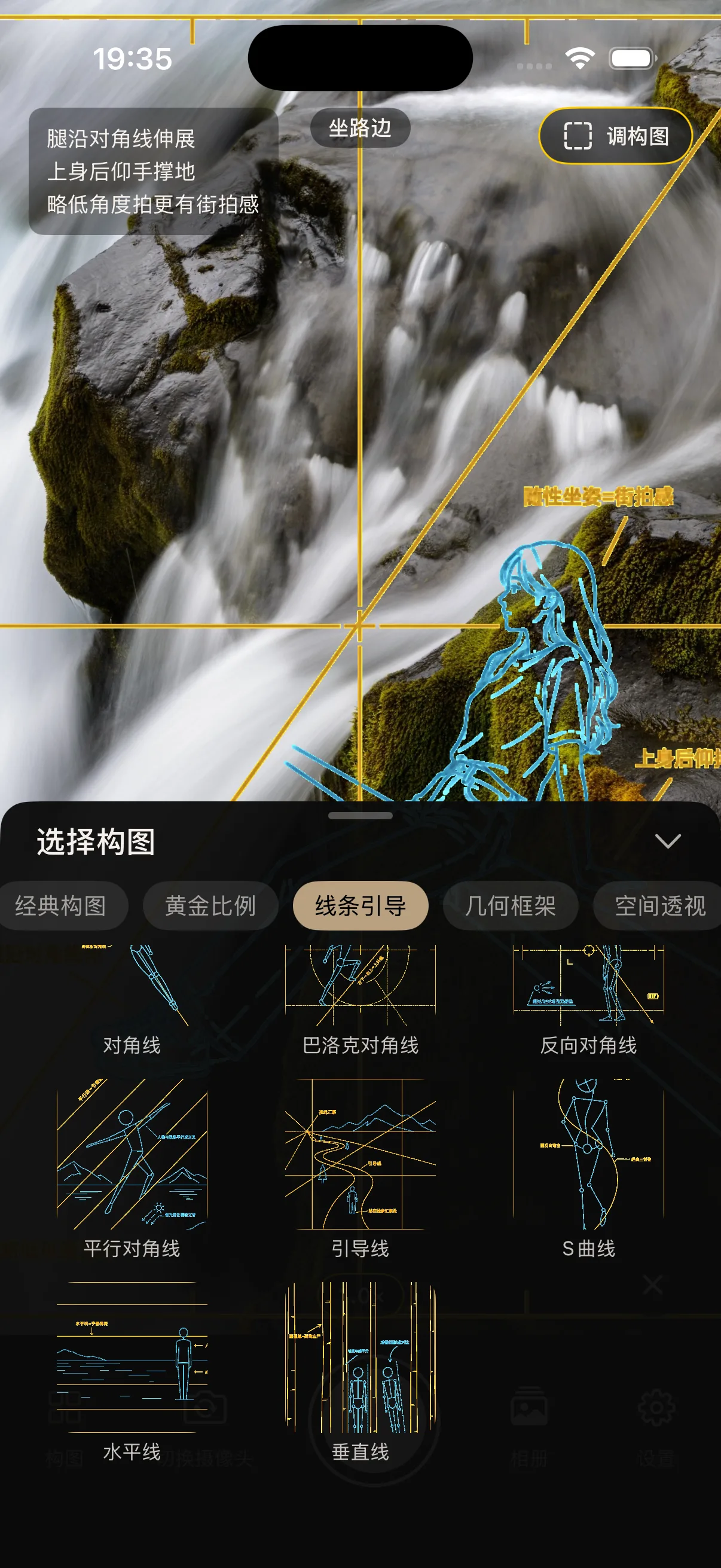
40+ Composition Templates
Everything runs on your iPhone. Offline by design.
40 semi-transparent templates sit on your live preview — just line them up.
Rule of thirds, symmetry, leading lines, golden ratio — drawn right on screen.
A photo reference plus on-screen tips show the subject exactly how to stand.
Pinch or dial from 0.5× to your device's max zoom — smooth and stepless.
No network. No login. No data collected. Photos stay in your Photos.
0.5× ultra-wide, 1× wide, 2×/3×/5× tele — templates auto-fit the frame.
Tap one of 40 templates — the guide lands on your viewfinder.
Move the phone, move the subject — until everything sits on the crosshair.
Tap the shutter. Photo goes to your library. The overlay does not.
Available Now
Hackshot is now on the App Store. Tap the button below or search "Hackshot" on your iPhone.